
WhatsApp Profile Picture API: Realtime Avatar Analysis by Phone Number
Compare URL-only WhatsApp picture tools with avatar analysis requests, then build realtime single and multi calls that handle undetermined results correctly.
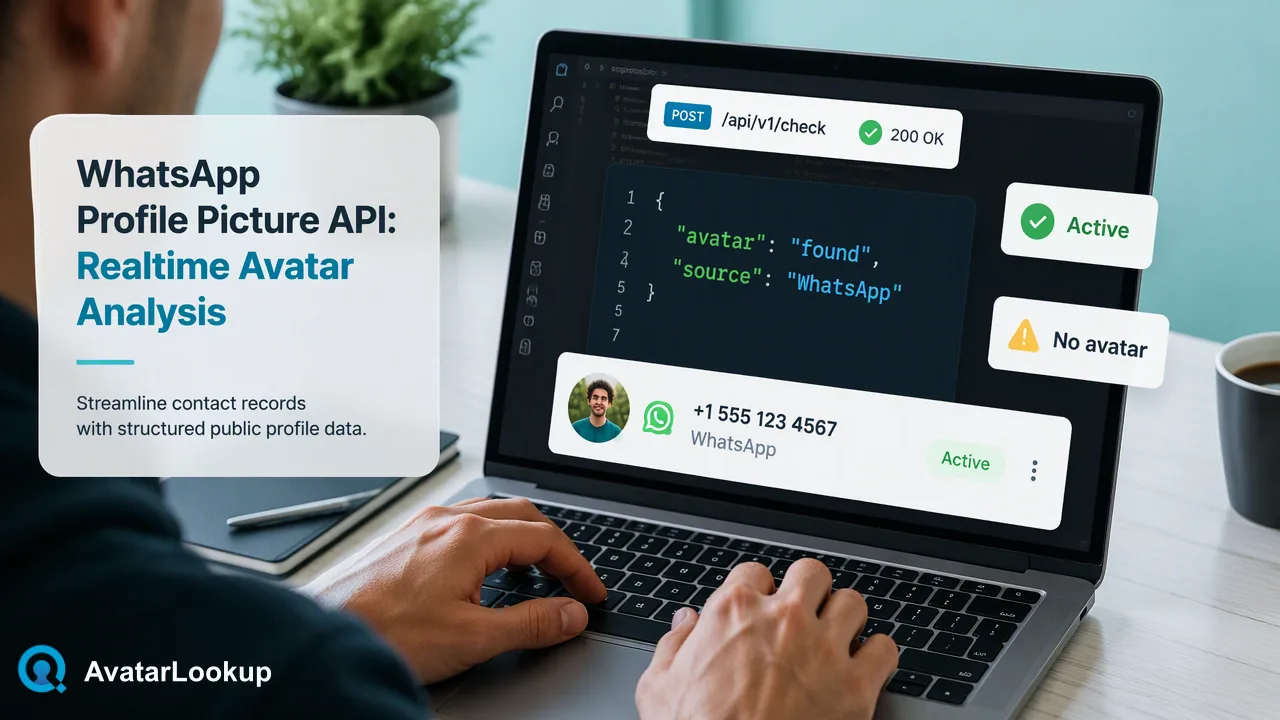
A developer guide to WhatsApp profile picture APIs: what URL-only tools return, how AvatarLookup's realtime single and synchronous multi WhatsApp avatar requests differ, and how to store and retry results.
A WhatsApp profile picture API takes a phone number and returns information about the public profile photo behind it. Many tools stop at a temporary image URL that you must download and interpret yourself. AvatarLookup's WhatsApp avatar analysis returns a structured result instead: a realtime single check through POST /api/v1/check, or a synchronous multi check through POST /api/v1/batch-check with 1–100 numbers per request. Appearance attributes in the result are algorithmic estimates. Only public avatars are analyzed, so a contact who limits their photo to saved contacts shows no public picture, and an undetermined result should be retried later rather than read as a verdict about the account.
Three kinds of WhatsApp profile picture API
Search results for this phrase mix three different things, and choosing the wrong one wastes integration time.
| Type | What it does | Fits when |
|---|---|---|
| Official business profile settings | Sets or reads your own business account photo; Meta's profile photo settings reference covers the older on-premises setup | You manage your own business number |
| URL-only lookup tools | Return an image link for another number's public photo | You only need to display the picture |
| Avatar analysis | Returns a structured result about the public avatar, including appearance estimates | You need fields to store and compare across a list |
The official business settings are for your own account's photo, not for looking up other numbers. URL-only tools return links that commonly expire, so teams end up downloading, storing, and labelling images themselves. Avatar analysis skips the image-handling step and returns data that fits a contact record. All three are limited by the same rule: the photo has to be visible publicly.
Realtime single check with POST /api/v1/check
Use the single check when one number needs an answer inside an interactive flow, such as a support agent opening a contact record.
- Normalize the number. Convert it to international format with the country code, following the ITU E.164 structure, and strip spaces, dashes, and brackets.
- Send one authenticated request to POST /api/v1/check naming the WhatsApp avatar product and the number. Follow the API documentation for the exact request body; do not guess field names.
- Read the response once and store it with the check date and a source label of WhatsApp.
- Branch on the outcome: public avatar found, no public avatar, or undetermined.
Keep the call outside any blocking path that a customer waits on. If the check is slow or undetermined, the record should still save, with the avatar fields left empty and a flag that a later check is due. Mainland China, Hong Kong, and Macau numbers are supported only through realtime single checks, so route them here rather than into bulk files.
Synchronous multi check with POST /api/v1/batch-check
The multi check handles a short list in one call. Each request accepts 1–100 identifiers of one product type and returns results as ordered JSON, matching the order you sent.
Practical rules for multi requests:
- Do not mix products. Send WhatsApp numbers in one request and supported Gmail, Yandex, or Mail.ru addresses in another.
- Rely on order, then verify. Results follow the input order; still match each result back to its input number before writing to your database.
- Chunk longer lists. Split a list of 350 numbers into four requests of up to 100.
- Use bulk tasks for large files. When a list is much bigger, the asynchronous WhatsApp bulk product accepts a TXT or CSV file and returns one CSV for the task.
Non-technical teams can use the dashboard instead, which accepts up to 500 identifiers and processes them one by one. Either way, only WhatsApp and the supported email domains have realtime and multi checks; Telegram, Viber, MAX, LINE, and Zalo are bulk-only.
Handling undetermined and no-avatar results
Most integration bugs come from collapsing different outcomes into one empty value. Keep them separate:
- Result produced. The multi response marks each item where a result was produced. That flag means a result exists for the request, not that the WhatsApp account exists.
- Result not produced. This covers invalid, undetermined, or failed items. It is not a negative verdict about the account or its avatar, so schedule a later retry instead of deleting the contact.
- No public avatar. A completed result can show that no public picture is available. WhatsApp's privacy settings let users show their profile photo to Everyone, My contacts, My contacts except selected people, or Nobody, so a missing public picture is often just a privacy choice.
Write each state to its own value, such as public, none, or retry, and log the reason for retries. A clean state model also makes reporting honest: a dashboard count of "no avatar" should never include items that were simply undetermined.
Storing results as estimates
Appearance attributes, such as picture type, an age range, or hair colour, describe the picture, not the person behind the number. A cartoon, a pet, a logo, or a group photo can all be valid profile pictures, and an analysis of them is still a completed answer.
A simple storage pattern:
| Field | Example content |
|---|---|
| Source | WhatsApp public avatar |
| Outcome | public, none, or retry |
| Picture type estimate | person, nonhuman, and so on |
| Appearance estimates | stored in fields named as estimates |
| Checked on | date of the request |
Keep these fields out of eligibility, credit, hiring, or pricing decisions, and out of any screening that treats people differently by estimated age or gender. A public avatar is a contact-data signal; it does not verify identity, account ownership, or consent to contact. Set a review interval, because users change their pictures, and delete stale estimates under your normal retention policy.
FAQ
How can teams get the actual image file instead of analysis fields?
Avatar analysis is designed to return structured results about the public avatar, not to act as a picture downloader. If a workflow truly needs to display images, consider whether that is necessary for the purpose and how the files would be stored and deleted. Many contact-data workflows only need to know whether a public avatar exists and what kind of picture it is, which the analysis already answers.
How should developers retry undetermined WhatsApp checks?
Collect undetermined numbers in a retry queue instead of re-sending them immediately in a loop. Re-check them later in a single or multi request, and cap the number of attempts per number so a persistent failure does not run forever. After the final attempt, keep the record as undetermined rather than converting it to no avatar, because those outcomes mean different things.
How can teams check a picture they already hold rather than a phone number?
Use image profile analysis. It accepts JPEG, PNG, WebP, or GIF files and is called through the documented image profile endpoint with a multipart file upload. It describes the picture itself, returning picture type and appearance attributes as algorithmic estimates, with no phone number or account involved. This suits images a customer uploaded directly, such as a profile photo submitted through a form.
Learn More
Choose the product information that fits the next step in your workflow.