
Product guidance
Optimizing User Profile Pages: Strategies for Higher Conversion and Engagement
Learn how to optimize user profile pages for higher conversion by integrating public avatar signals to reduce onboarding friction and support engagement.
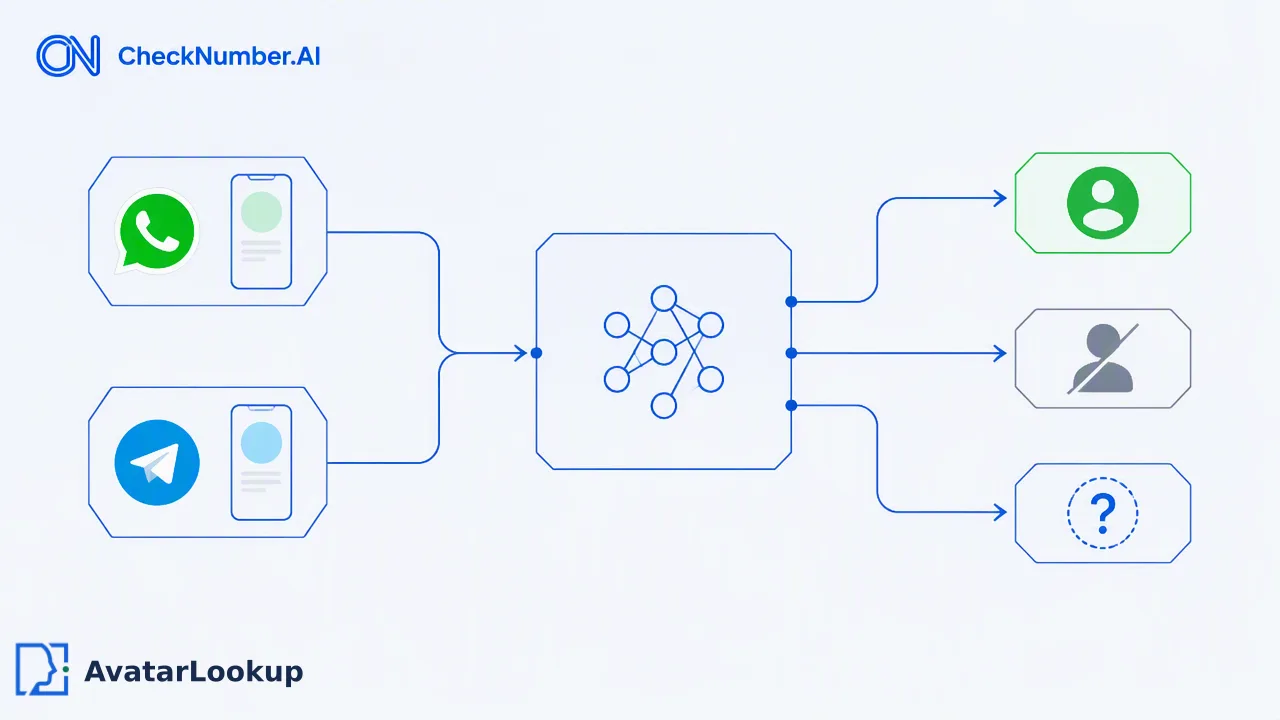
Learn how to optimize user profile pages by integrating public avatar signals to reduce onboarding friction, support consistent visual identity, and improve user engagement.
High-converting profile pages minimize user effort by automating data entry and providing immediate visual feedback. By integrating public profile signals—such as avatar availability—teams can reduce friction during onboarding, support user trust, and inform consistent visual identity across platforms without requiring manual uploads from the user. Redundant profile setup processes are a primary driver of user abandonment, making streamlined data integration essential for converting visitors into engaged users. When organizations leverage automated public avatar signals for supported identifiers, they create a more frictionless onboarding experience. This approach supports visual hierarchy and purpose-driven design while ensuring that the profile creation process remains efficient and user-centric.
The Impact of Friction on User Profile Conversion
Redundant profile setup processes are a primary driver of user abandonment during onboarding workflows. When users are required to manually upload images and fill out extensive forms, the added friction often leads to incomplete registrations and lower engagement rates. High-converting profile pages rely on consistent visual identity and frictionless data integration to reduce this user abandonment. Visual hierarchy and purpose-driven design are essential for converting visitors into engaged users, as a well-structured profile page guides the user naturally through the setup process. By minimizing the number of manual steps required to establish a complete profile, organizations can support higher completion rates. Profile photos significantly increase user engagement and trust metrics, making the visual component of a user profile a critical factor in overall platform success. Streamlining this process helps teams maintain momentum during the critical initial stages of user interaction.
Leveraging Public Profile Signals to Reduce Onboarding Friction
Automating the retrieval of public profile signals allows teams to pre-fill or validate profile data, significantly reducing the manual burden on users. A public avatar signal is a data point indicating whether a specific account identifier, such as a phone number or email address, is associated with a publicly visible profile image on a supported platform. AvatarLookup supports single checks for WhatsApp, Gmail, Yandex, and Mail.ru, providing immediate visual context for user profiles. For larger operations, bulk tasks support WhatsApp, Telegram, Viber, LINE, Zalo, MAX, Gmail, Yandex, and Mail.ru. A bulk file can contain up to 100,000 entries and must not exceed 10 MB, with accepted formats including CSV, TXT, and XLSX. By utilizing these source-specific public profile signals, organizations can automatically populate a user's profile picture during onboarding, which supports a frictionless experience and reduces the time required to complete account setup.
Best Practices for Integrating Profile Data
Centralizing identity data helps prevent brand dissonance across different platforms and supports a unified user experience. Leveraging existing infrastructure for profile data reduces friction during onboarding by utilizing identifiers the user has already provided, such as an email address or phone number. When integrating AvatarLookup, teams can process supported messaging and email identifiers in a bulk file, retaining clear avatar conclusions separately from invalid, failed, or undetermined rows. Core results distinguish between avatar available, no avatar, and undetermined. It is important to note that a "no avatar" result does not mean the account does not exist, and an "undetermined" outcome is not a negative result. By structuring data integration to handle these specific outcomes gracefully, organizations can maintain a smooth onboarding flow. This automated retrieval of public profile signals helps teams review supported account identifiers efficiently, informing internal decisions without interrupting the user journey.
Maintaining Data Integrity and User Trust
While public avatar signals provide valuable visual context, organizations must understand their scope and limitations to maintain data integrity. Furthermore, appearance attributes such as presented gender, age range, hair color, skin-tone features, or appearance ethnicity are algorithmic estimates from an avatar image and only auxiliary references, not real identity or demographic facts. Public profile signals should be used as decision-support for customer-defined review, not as definitive identity verification. By clearly defining the role of public avatar data within the onboarding workflow, teams can support user trust while avoiding unsupported assumptions about account ownership or user identity.
FAQ
How can teams reduce user abandonment during profile setup?
Teams can reduce user abandonment by minimizing redundant profile setup processes and automating data entry. High-converting profile pages rely on consistent visual identity and frictionless data integration. By leveraging existing infrastructure and automating the retrieval of public profile signals, organizations can pre-fill profile data, such as avatar images, which reduces the manual burden on users and supports higher completion rates during onboarding.
What is a public avatar signal and how does it support engagement?
A public avatar signal indicates whether a specific account identifier, such as a phone number or email address, is associated with a publicly visible profile image on a supported platform. Profile photos significantly increase user engagement and trust metrics. Automating the retrieval of these signals provides immediate visual context for user profiles, helping teams create a more engaging and visually complete experience without requiring manual uploads.
How do organizations integrate public profile signals into existing onboarding workflows?
Organizations can integrate public profile signals by using single checks for platforms like WhatsApp, Gmail, Yandex, and Mail.ru, or by processing bulk files containing up to 100,000 entries for broader platform support. Teams use these signals to check for public avatar availability using a provided phone number or email address. This automated retrieval helps populate profile data efficiently, supporting a frictionless onboarding experience while centralizing data.