
Telegram Profile Picture Analysis by Username for Large Lists
Prepare a username list for Telegram public-avatar bulk analysis, submit an asynchronous task and review its source-specific CSV.
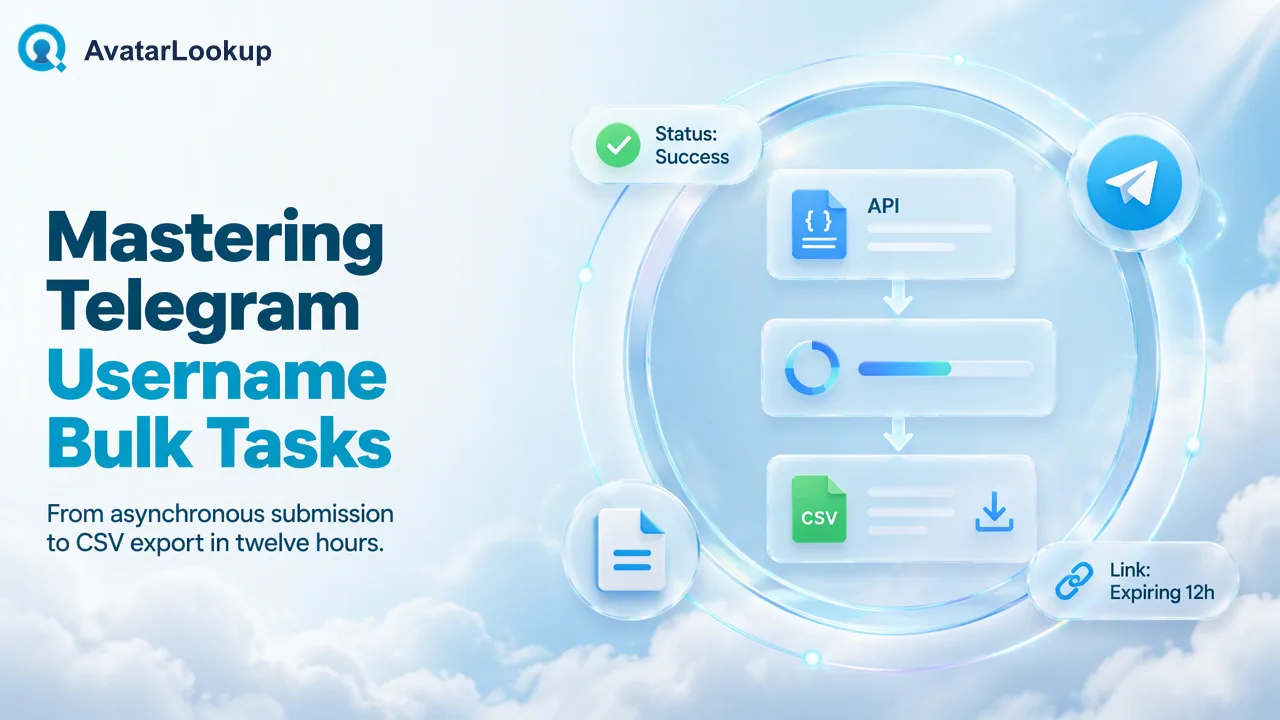
A guide to the Telegram username bulk product and the exact limits of its result.
A Telegram profile picture by username can be reviewed at list scale with AvatarLookup’s Telegram username bulk product. Prepare a TXT or CSV file with one plain username, @username, or supported Telegram link prefix per line; no country selection is needed for usernames. Submit the asynchronous bulk task and review its single CSV on success. This product is not a realtime one-username lookup, and its CSV should not be described as picture-type or appearance analysis.
Telegram profile picture by username: define the source
Telegram permits public usernames that can be found in global search and shared through t.me links, as its official FAQ explains. A username is therefore a distinct input from a phone number. A contact database may hold one, the other, or both; a team should not silently convert a phone-number source into a username task or assume a matching name belongs to the same person. Start with the identifier actually supplied by the source record.
AvatarLookup has separate Telegram number and Telegram username bulk products. The Telegram username profile page is the relevant product for a username file. It is one of the documented asynchronous bulk products, not a realtime single-check route. The Telegram number product uses phone-number preparation rules instead. Keeping the source type explicit avoids invalid country requirements for usernames and avoids mixing outputs from distinct products.
The question is narrow: what public-avatar and source-specific profile information is available for each submitted Telegram username? It is not a request to analyze a picture’s type, estimate appearance attributes, or determine a person’s real-world identity. Those are different tasks and should not be inferred from a username CSV.
Prepare usernames in one of the documented formats
The current product facts accept a plain username, an @username, or a Telegram-link prefix. Put one identifier per line in a TXT or CSV bulk file. Usernames do not need an ISO country field. Review entries copied from spreadsheets for extra text, empty rows and duplicate spellings. A staff member can preserve the original source value in the CRM so a later reviewer can trace why a username was submitted.
Telegram’s FAQ notes that basic usernames are case-insensitive while capitalization may be displayed differently. This matters when a team compares inputs from two systems: a different capitalization alone need not mean a different public username. The team should still check that a link points to the intended username and has not been shortened or mixed with unrelated query text. Do not infer that the username is permanently assigned to the same person; treat it as the source identifier used for this check.
Bulk files are TXT or CSV only, and per-product limits apply. Check the current API documentation before preparing a production run. Do not treat a generic spreadsheet file as an accepted upload format or assume every AvatarLookup bulk product shares the same minimum. For usernames, the preparation rule is identifier per line without country, which is simpler than the phone-source rule.
Submit the asynchronous task and retrieve one CSV
The documented bulk route is POST /api/v1/bulk-tasks. A successful submission yields a task that can be queried with GET /api/v1/bulk-tasks/{id}; poll no more often than every 30 seconds. When it succeeds, the product returns one CSV for the task. The download link lasts 12 hours and can be refreshed by querying the same task again. These are bulk-task behaviors, not a promise that a particular file will finish within a fixed period.
A developer should retain the task reference and input-file version together. The review process can then match the completed CSV to the submitted username list, rather than treating a downloaded filename as sufficient provenance. If a link has expired, query the existing task to get a refreshed link instead of automatically submitting the same file as a new task. A repeat submission is a separate check, not a method for retrieving a prior export.
The API documentation is the source for current request details and error handling. This article names only the documented routes and timing rule, without inventing a request body, response envelope or exact task-state names. A team building a client should implement its own safe polling and file-storage handling from the official contract.
Read the Telegram username CSV in its own scope
The Telegram username bulk product documents a source-specific CSV with the submitted identifier, an account-presence result, available account-identifier and activity context, and an avatar URL. It does not return the image-profile picture category or algorithmic appearance estimates. Do not add columns from image analysis or from the Telegram phone product to a downstream schema merely because all three concern avatars. Product-specific output names and meanings belong in the product documentation.
An available public avatar URL may be useful as a contact-data reference, but it does not certify who controls the account or whether a pictured person is the account holder. An absent or empty URL does not by itself prove the account lacks a picture or does not exist. Record the source and the observation date, and leave uncertain records for review. Telegram users can adjust profile-photo visibility, so a public-avatar workflow necessarily sees only what is available to it.
Do not run a separate image-profile interpretation on every username result by assumption. Image profile analysis is a different product that describes a picture supplied to it, including picture type and appearance estimates. The username CSV does not imply that follow-on analysis has happened. If a team needs that separate task, it must assess the purpose and obtain a suitable image under its own governance rules.
Keep the result useful for contact-data review
A team can store the submitted username, task date, source product and reviewed outcome with the contact record. These are suggested internal bookkeeping fields, not a claim about the service’s schema. The team should avoid automatically populating a customer profile as though an avatar were verified identity information. It can instead flag the record for a human to inspect the public-source context when the avatar matters to a low-impact data-quality question.
The most useful comparison is between the question asked and the result returned. If the input is a Telegram username list, use the username bulk product. If the team already has an image and wants picture-type or appearance estimates, use the separate image-profile route. If it has phone numbers, use the documented phone-source product and its different file rules. This prevents an apparent convenience feature from turning into an unsupported capability claim.
Keep access to the exported file limited to staff who need it, follow the organization’s retention policy, and avoid sensitive screening decisions based on appearance. The product’s algorithmic outputs, where available in other services, are estimates. The Telegram username CSV should be treated as a narrow, source-specific observation that helps organize review, not as a dossier on a person.
FAQ
Can teams check one Telegram username in realtime with this product?
The documented Telegram username route is an asynchronous bulk product. Realtime single checks are documented for WhatsApp and supported email sources, not Telegram usernames.
Does a username file need a country field?
No. Username files accept the documented username formats and do not require a country selection. Phone-source bulk files have separate rules.
Does the Telegram username CSV include picture type or age estimates?
No. Those are associated with separate image analysis, not the Telegram username bulk CSV.
What should teams do when a download link expires?
Query the same bulk task again to refresh its download link, then retrieve the single CSV. Avoid submitting a duplicate task solely to recover the export.
Learn More
Choose the product information that fits the next step in your workflow.