
What Is Image Profile Analysis?
Learn what image profile analysis is, how algorithmic attribute estimates work, and how it differs from facial recognition in data workflows.
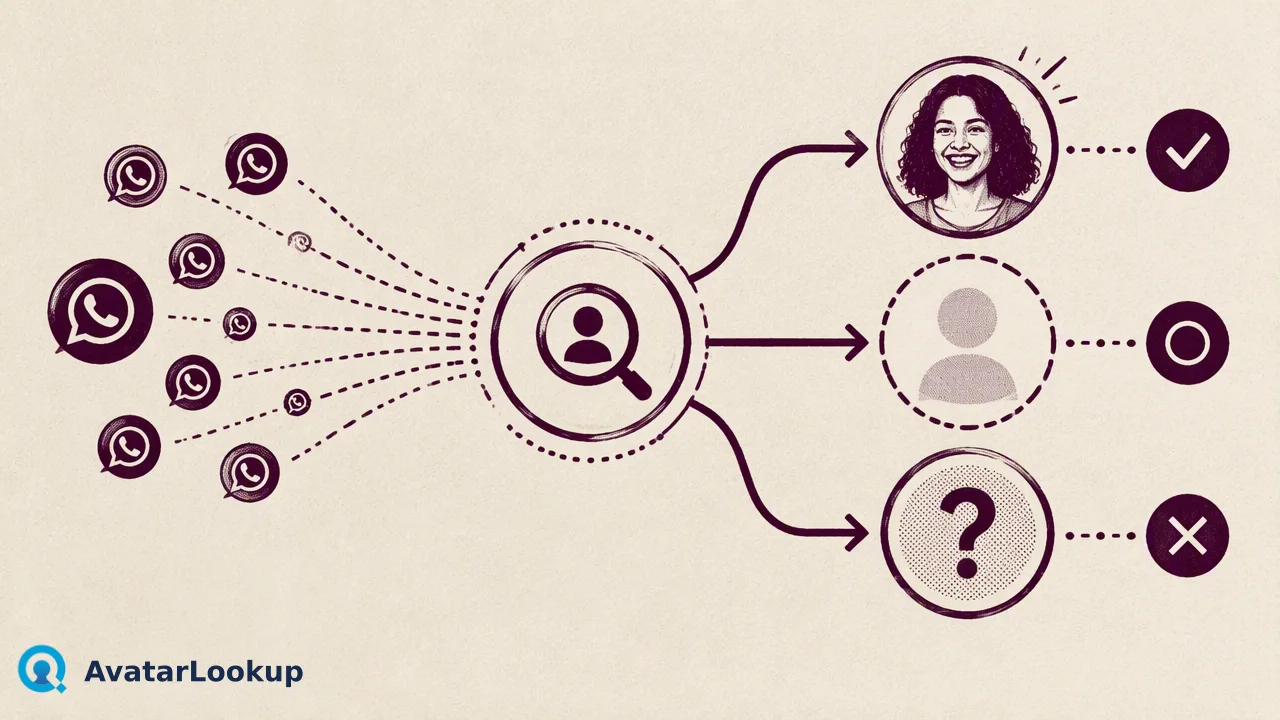
Image profile analysis extracts algorithmic estimates of portrait attributes from an uploaded image or public avatar to inform contact-data workflows.
Image profile analysis is the automated evaluation of a standalone image file or a public avatar to generate algorithmic estimates of visible portrait attributes, including picture category, age range, gender presentation, and hair or skin color. Rather than verifying a person's legal identity or confirming account ownership, image profile analysis functions strictly as an attribute estimation signal. Organizations use these algorithmic outputs to enrich contact records, structure visual data, and inform downstream review workflows using content-derived fingerprints rather than biometric templates.
Core Function and Scope of Image Profile Analysis
Image profile analysis inspects an image file to extract structural characteristics and descriptive attributes. Unlike identity management systems that authenticate users, this process evaluates visual content to classify the image type and estimate visible portrait properties.
The scope centers on generating algorithmic estimations from an uploaded file or public picture. Rather than binding an image to an authoritative demographic record, the analysis returns categorical indicators based on visual patterns detected in the media.
Documented Image Profile Output Fields
- Category: Identifies the primary composition (such as a human portrait, graphic, pet, or object).
- Estimated Age: Provides an algorithmic age bracket based on visible features.
- Gender Presentation: Returns a probabilistic estimation based on facial markers.
- Hair and Skin Color: Detects dominant visible tone attributes within the portrait area.
Algorithmic Estimates Versus Demographic Facts
A critical distinction in contact-data architecture is separating algorithmic estimates from verified demographic facts. Image profile analysis models visible cues to generate statistical approximations; it does not access birth records, government registries, or self-reported profile data.
Because these outputs represent statistical estimates, teams should treat them as contextual signals rather than objective personal truths. Attributes such as age or hair color reflect model inferences at the moment of inspection.
Furthermore, encountering an image that lacks clear human facial markers—such as an illustration, landscape, brand logo, or domestic animal—does not mean the check failed. The service evaluates the content, classifies the category, and returns determined outputs indicating that human attributes are absent or undetermined. A completed assessment of an abstract picture or empty visual field remains a valid, determined analytical result.
Image Uploads Versus Identifier-Based Avatar Lookups
Organizations approach visual analysis through two primary operational paths depending on the starting data they hold.
Primary Input Routes
- Direct Image Profile Analysis: When teams already possess a graphic asset, they submit an image file (such as JPEG, PNG, WebP, or GIF) via multipart upload. The analysis runs directly against the visual payload using a content-derived fingerprint.
- Identifier Lookup: When all a team holds is an identifier—such as a WhatsApp phone number or a supported email address—the workflow first queries the public profile signal. If a public avatar is returned, the visual analysis extracts the corresponding portrait attributes.
- Asynchronous Bulk Processing: When managing large identifier volumes across supported channels, asynchronous batch jobs process lists to gather public avatar URLs and attribute estimates in structured export files.
Choosing between direct file analysis and identifier lookup depends entirely on whether visual media is already present in internal storage or must be retrieved from publicly available profile endpoints.
Workflow Integration and Practical Data Governance
In production environments, image profile analysis serves as an auxiliary signal within broader contact-enrichment pipelines. It provides structured visual metadata that assists teams in categorizing incoming user-submitted assets or assessing avatar presence on customer records.
When designing these pipelines, governance teams must ensure that visual attribute estimation aligns with relevant privacy standards. Under Article 5(1)(c) of the EU General Data Protection Regulation, personal data must be adequate, relevant, and limited to what is necessary for the intended processing purposes (GDPR Article 5 (Regulation (EU) 2016/679)).
| Analysis Approach | Primary Input | Core Output | Operational Role |
|---|---|---|---|
| Direct Image Profile | Image file (JPEG, PNG, WebP, GIF) | Category, age, gender, hair, skin color | Content classification & media enrichment |
| Identifier Avatar Check | Supported phone or email | Public avatar availability & portrait attributes | Contact-record review & public reachability context |
| Bulk Profile Tasks | TXT or CSV identifier lists | Account presence, avatar URLs, batch attributes | Large-scale directory segmentation |
By treating portrait outputs as algorithmic estimates rather than identity proofs, organizations maintain clean architectural boundaries between content enrichment and formal verification.
FAQ
How does image profile analysis differ from facial recognition?
Facial recognition maps unique biometric geometry to identify a specific person or match records across databases. In contrast, image profile analysis estimates broad descriptive attributes—such as estimated age bracket, category, and hair color—from an image without identifying who the individual is or verifying their legal identity.
Are non-human pictures processed as completed checks?
Yes. When an image contains an object, pet, graphic, or cartoon, the analysis assigns a non-human category or marks attributes as undetermined. Because the system successfully inspects the file and returns a determined algorithmic answer, the check is considered complete and billable.
Learn More
Choose the product information that fits the next step in your workflow.