
Gmail Profile Picture API Options for Contact Data Pipelines
Compare Google People API, Workspace Admin SDK and supported-email public-avatar analysis by access model and the question each answers.
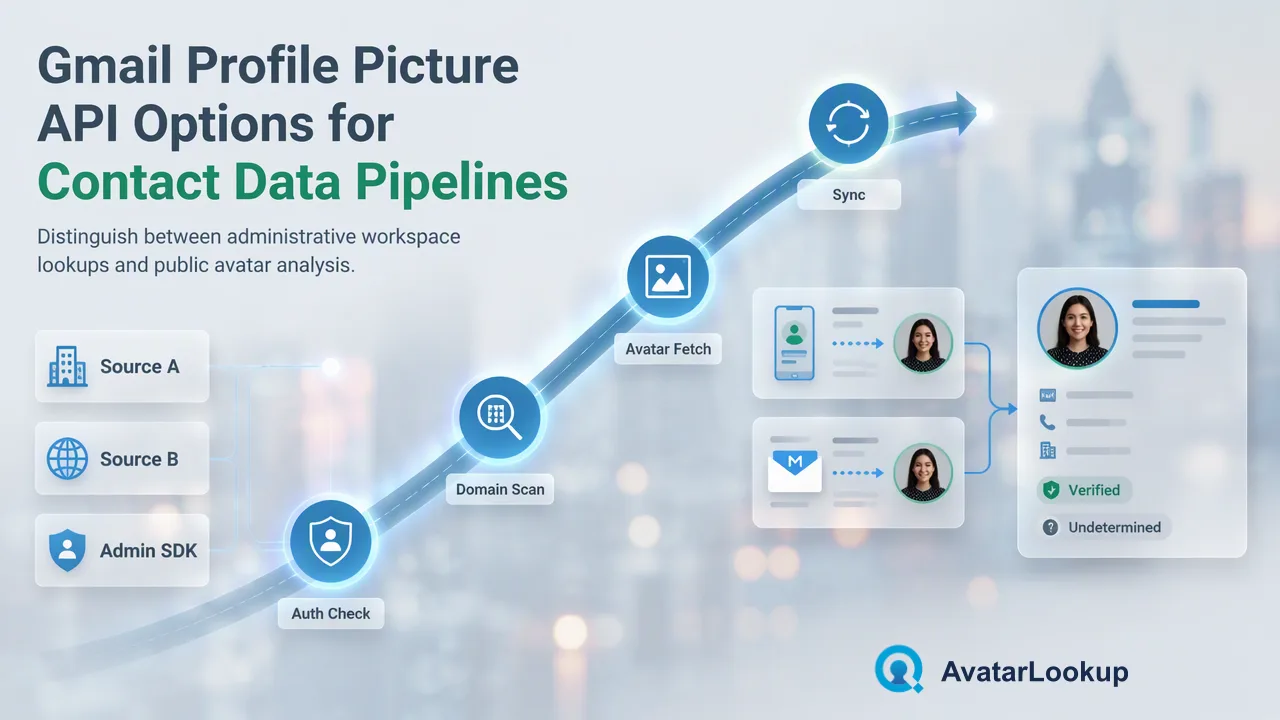
A developer decision guide for contact photos, managed-domain user photos and supported public email avatars.
A Gmail profile picture API choice depends on whose data the pipeline can legitimately access. Google’s People API reads information connected to an authenticated user and their permitted contacts; the Workspace Admin SDK retrieves photos for users in an administered domain. For a pipeline holding supported Gmail email identifiers but not those Google account relationships, AvatarLookup offers public-email avatar analysis through documented realtime or multi-identifier routes. These routes answer different questions and should not be treated as interchangeable sources of a verified person photo.
Gmail profile picture API: start with the access model
Developers often search for one endpoint that accepts any Gmail address and returns a profile picture. Google’s official APIs are more contextual than that. The People API introduction describes data from the authenticated user’s contacts, profile and permitted domain sources. Access depends on the relationship to the user and granted scopes. The Workspace Admin SDK photo method addresses a different case: a domain administrator retrieving a managed user’s photo.
Neither description means a developer can submit an arbitrary external Gmail address to those APIs and expect a public image. The People API is appropriate when the application is already authorized to work with the signed-in user’s contacts or profile information. The Admin SDK is appropriate for administration of the organization’s own Workspace users, subject to its authorization model. This article does not provide Google API credentials, request examples or a permission workaround; the official documentation is the right source for implementation details.
Define the data question before picking the route. Is the application showing a contact photo already available through a user’s authorized Google contacts? Is it managing photos for its own Workspace domain? Or is a separate contact-data process asking whether an available public avatar is associated with a supported email identifier? These are different scopes.
What the Google People API contributes
The People API can return photo information in a Person resource, along with other fields from connected sources. Google’s Person resource documentation explains that the resource may merge contact and profile data according to its source and authorization context. A pipeline should preserve that context when it stores a photo URL; it should not strip away the difference between a contact image and public profile information.
A People API integration is a good fit when the product already asks a user to authorize contact access for a clear purpose. It can then use the authorized data to display or manage that user’s contacts under Google’s documented scopes and policies. It is a poor conceptual fit for a service that wants to check a large list of unrelated Gmail addresses without those user relationships. The existence of a photos field in the response schema does not guarantee a photo will be available for every person.
Design the pipeline to tolerate missing or changed photos. Record which authenticated account and source supplied the data under the application’s access policy, and avoid copying a contact image into a shared CRM as if it were a verified public fact. A visible profile picture is a presentation signal, not a credential or a legal identity check.
When the Workspace Admin SDK fits
Google’s Admin SDK Directory users.photos.get method retrieves a photo for a user identified within an administered Workspace context. Its documented authorization scopes make clear that this is an administrative route, not a general consumer Gmail lookup. A company maintaining its own employee directory may use it as part of a managed account workflow. A sales-data provider holding external addresses should not present it as an open search endpoint.
The distinction matters even when an email address looks familiar. A gmail.com address is not automatically an account in the organization’s Workspace domain, and a company domain address is not automatically visible to an unrelated application. Access is governed by the Google account and domain context. Developer documentation may show a concise photo-retrieval path, but the path’s existence does not broaden the authorized population.
If the organization already manages its own domain, use its directory governance rules for storage, updates and removal of employee photos. For external contact records, do not reuse that administrative logic by guessing a user key. The next section describes a public-avatar analysis route with a different scope and result meaning.
Where supported-email avatar analysis fits
AvatarLookup’s email avatar analysis supports realtime single and synchronous multi-identifier checks for supported Gmail, Yandex and Mail.ru domain families. The supported Gmail domains are gmail.com and googlemail.com. Its documented realtime route is POST /api/v1/check and its synchronous multi route is POST /api/v1/batch-check. A separate asynchronous email-avatar bulk product exists for prepared files. This is public-avatar analysis for the supported email source, not access to a person’s private Google Contacts or Workspace directory.
The correct mode depends on the pipeline’s workload. A single authorized contact record may use the realtime route; a group of same-service identifiers may use the synchronous multi route within its documented conditions; a prepared larger file may use the email-avatar bulk product and its own CSV schema. Do not generalize a single response shape across all three. The AvatarLookup API documentation should supply the exact request and response details.
The resulting public-avatar observation can help a data-quality reviewer decide which contact records need inspection. It does not automatically populate user profiles and does not establish who owns an address. An empty avatar URL or an undetermined result should remain uncertain rather than being rewritten as “no Google account.” Other email domains are not supported for avatar checks in the current profile.
Choose the route and preserve the result source
A concise decision table can be expressed as three questions. For a signed-in user’s authorized contacts, consult the People API. For managed users in the organization’s own Workspace domain, consult the Admin SDK. For supported email identifiers in a public-avatar contact-data workflow, consider AvatarLookup. Each route has a different permission model, population and result interpretation. The choice should be driven by the application’s purpose and lawful access to data, not by which API looks easiest to call.
Store the source with every photo or avatar observation. A URL from an authorized Google contact is different from an available public avatar found through an email analysis service. If the pipeline combines both, use separate source labels and timestamps rather than overwriting one with the other. A later reviewer needs to know which route produced the value and what it means.
Avoid using a profile picture to make high-impact judgments about a person. AvatarLookup’s appearance outputs, where an applicable analysis provides them, are algorithmic estimates; Google contact photos are not independent proof of identity either. The most useful pipeline design preserves source, scope and uncertainty so a human can review the contact record without being misled by a polished-looking image field.
FAQ
Can the Google People API return a photo for any Gmail address?
It operates in an authenticated user and authorized contact or profile context. Its photo field does not make arbitrary external Gmail addresses universally retrievable.
Is the Workspace Admin SDK an external Gmail photo lookup?
No. Its photo method is for users in an administered Workspace context and requires the documented authorization.
Which email domains does AvatarLookup cover for Gmail?
The current supported Gmail domains are gmail.com and googlemail.com. Its email-avatar products also cover documented Yandex and Mail.ru domains.
Does a public-avatar result verify the owner of an email address?
No. It is a source-specific avatar observation and should not be treated as proof of who controls the email account.
Learn More
Choose the product information that fits the next step in your workflow.