
Contact Data Quality Checklist: Where Public-Avatar Signals Fit
Review source, identifiers, duplicates, public-avatar scope and estimated image attributes before adding avatar observations to contact data.
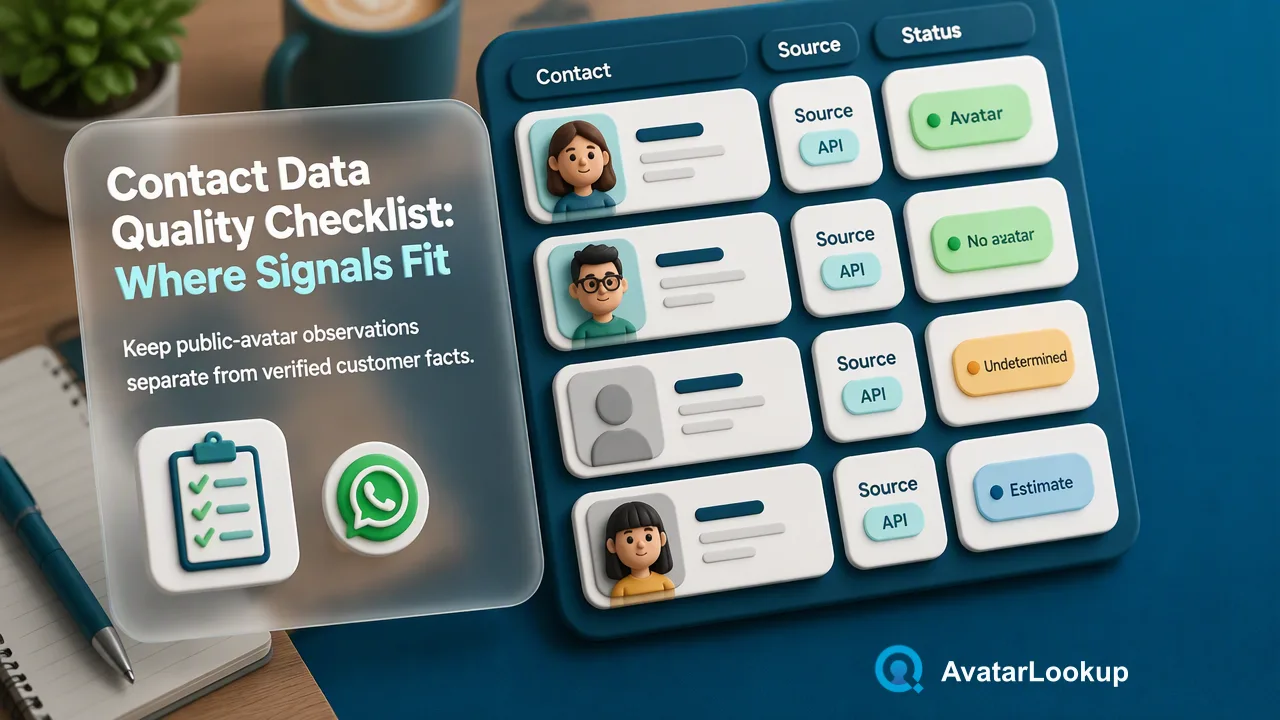
A contact-data review checklist that keeps public-avatar observations separate from verified customer facts.
A contact data quality checklist should start with the source and meaning of each identifier, then review formatting, duplicates, permission and the age of the record. Public-avatar analysis can add a limited observation when an image or supported account identifier is already available, but it does not validate a person’s identity or repair a weak source record. Store the product, source, observation date and uncertainty with any avatar result, and keep algorithmic appearance estimates distinct from confirmed contact facts.
Contact data quality checklist: start with source and purpose
Before checking an avatar, ask why the contact record exists and what the team is allowed to do with it. A record may have come from a customer form, an existing support conversation, an imported partner file or manual entry. Those sources have different reliability and permission context. Keep the source visible to reviewers rather than flattening all rows into a common “lead” category. An avatar analysis cannot supply missing provenance.
The UK Information Commissioner’s Office accuracy guidance emphasizes recording data sources and correcting misleading records. Its data minimisation guidance asks organizations to connect data fields to a defined purpose. These are useful general review principles; teams still need to assess their own jurisdiction and obligations. For a contact-data workflow, they translate into a simple question: is an avatar observation necessary for this specific review task?
If the answer is no, do not add it just because a tool can. If the answer is yes, document what question the image or public profile is meant to inform. A picture may help a human spot an obviously mismatched record type, but it does not make a phone number, email address or name authoritative.
Normalize the identifier before selecting a product
AvatarLookup has different routes for images, phone numbers, Telegram usernames and supported email addresses. Begin by identifying the actual input. If the team already has a picture, image profile analysis describes the image itself. If it only has a WhatsApp or supported-email identifier, realtime or synchronous multi public-avatar routes may fit. Telegram, Viber, MAX, LINE and Zalo avatar sources are bulk-only in the current catalog. A product that accepts one source should not be assumed to accept another.
Review identifiers for obvious import problems before submission. Normalize phone data according to the chosen product’s phone rules, verify that an email belongs to a supported domain family, and keep usernames separate from phone numbers. The purpose is not to turn a dubious record into a plausible-looking result. If the original source is ambiguous, ask the data owner to correct it. Keep a stable link to the source record so a later CSV can be matched back without inventing a person association.
Then remove or mark duplicates in the team’s own CRM. A repeated email may represent duplicate imports, while two people can share a business role or mailbox. Do not merge records based on a shared avatar or appearance estimate alone. The team should use its established customer-record rules and retain enough history to reverse an incorrect merge.
Choose image analysis or public-avatar analysis deliberately
Image profile analysis accepts an uploaded image and, on the website, a public image URL. It describes the picture type and may return algorithmic estimates about appearance, such as age range or visible traits. The image identifier is a content-derived fingerprint, not an account identifier. A logo, pet or illustration may still produce a completed result. An unknown appearance attribute does not automatically mean the analysis failed.
Public-avatar analysis begins with a supported account identifier and observes available public-avatar information from that source. Its fields differ by product. A WhatsApp public-avatar result should not be rewritten as a Telegram username result, and an email bulk CSV should not become a universal schema for every source. The How avatar lookup works page is the right product overview for choosing the relevant route; the API documentation supplies current request detail for developers.
This distinction protects the meaning of the contact record. “An image was analyzed” is a statement about a supplied picture. “An available public avatar was observed for this identifier” is a source-specific observation. Neither statement proves that the named CRM contact is the person in a picture. Keep those labels separate in reports and interfaces.
Preserve uncertainty and limit automated decisions
Not every check yields an interpretable public image. A missing avatar URL, an undetermined result or an unknown appearance estimate should remain a limited observation. Do not automatically conclude that the account lacks a picture or that a person lacks the estimated attribute. In synchronous multi results, exists=true means a result was produced; exists=false can include invalid, undetermined or failed outcomes and is not a definitive negative account verdict. Those semantics need to survive any mapping into the CRM.
Use a human review path for records whose avatar information affects a meaningful data-quality decision. An analyst may compare the source identifier, customer-provided details and current public-profile context, then decide whether the record needs correction. That is a review recommendation, not a claim that AvatarLookup automatically populates profiles or verifies people. Avoid high-impact decisions or discriminatory screening based on appearance estimates. The model’s estimate is not a demographic fact.
A practical internal record can store the chosen product, input type, observation date, available result category and review action. These are suggested governance fields; the service’s actual response must be read from its own documentation. Separating the raw observation from the team’s decision makes later corrections possible.
Review retention and refresh rules
Contact fields change. A person can update a public picture, change a username or alter visibility settings; a team can also discover that the original identifier was wrong. Set a review interval based on the task rather than treating one avatar result as permanent. When a record is corrected, preserve the earlier observation as historical context only if the organization’s retention policy calls for it. Do not leave an obsolete picture presented as current.
Restrict access to image and avatar exports to staff who need them for the defined task. The ICO’s data minimisation guidance supports periodically reviewing what information remains necessary. A team can implement that as a field-level retention check: which identifiers, images, estimates and reviewer notes still have a purpose? Remove or archive excess data according to its policy. This advice does not claim that one rule applies everywhere.
The checklist ends with a narrow, auditable statement: what source was checked, which product was used, what limited observation was available, and what the reviewer decided. If the source was weak or the result uncertain, mark the record for correction rather than filling gaps with an avatar-derived guess. That is how a public-avatar signal can contribute to data quality without becoming a false identity claim.
FAQ
Can a public avatar replace a missing customer identity record?
No. It is a source-specific observation about an available picture, not a verified customer identity fact.
Should teams merge two contacts with the same avatar?
No. A shared or similar picture is insufficient to merge contact records. Review identifiers and source history under the team’s existing rules.
What if an avatar URL is empty?
Keep the outcome in its documented scope. An empty URL alone does not prove that the account has no picture or does not exist.
How should appearance outputs be stored?
Label them as algorithmic estimates with their source and date, and avoid using them for high-impact or discriminatory decisions.
Learn More
Choose the product information that fits the next step in your workflow.