
Check a WhatsApp Profile Picture Without Saving the Number
Use WhatsApp click to chat for a single number, or public-avatar analysis for reviewed contact lists, while respecting profile-photo visibility.
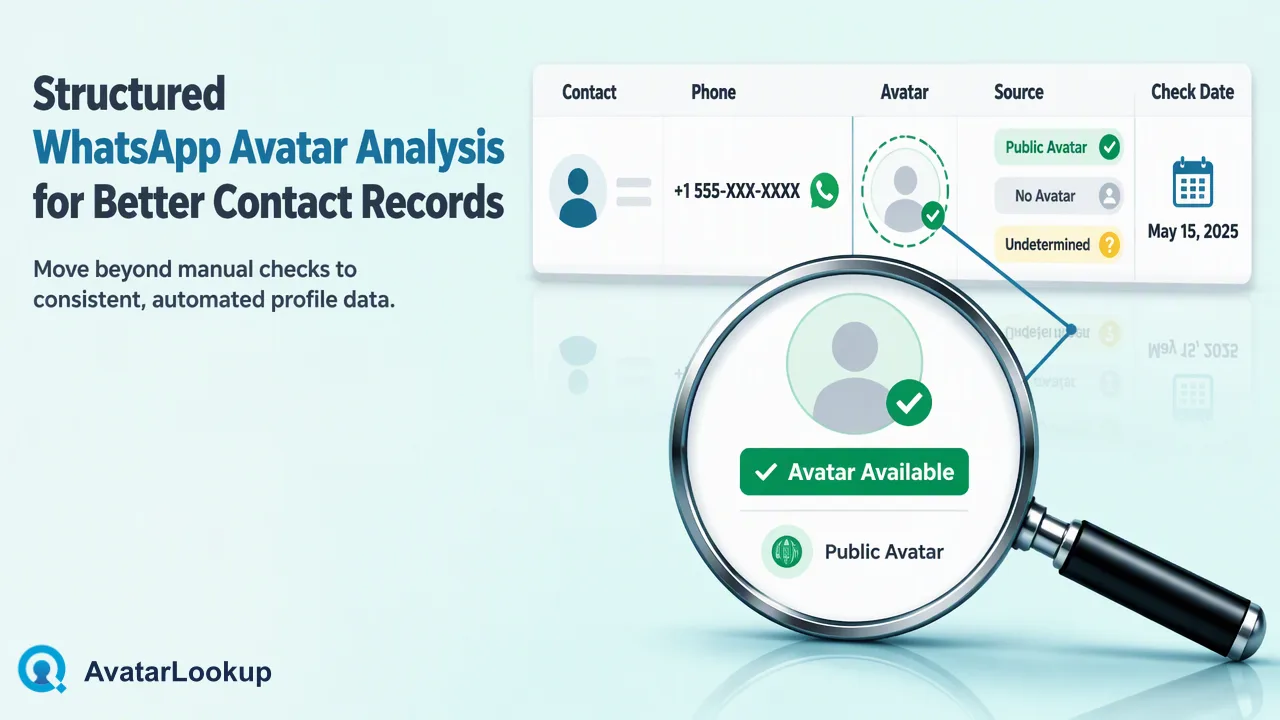
A practical comparison of a manual click-to-chat look and structured public-avatar analysis.
To check a WhatsApp profile picture without saving the number, a person can open WhatsApp’s official click-to-chat link for one full international number and inspect the profile information visible to them. A picture may still be hidden by the account’s privacy settings. Teams reviewing many existing contact records can instead use AvatarLookup’s WhatsApp public-avatar analysis for a structured result, but it also observes only available public data. A missing picture is not proof that the account has no photo or does not exist.
Check a WhatsApp DP without saving a contact: the manual route
WhatsApp’s click-to-chat help page explains that a wa.me link can open a chat without first adding the phone number to the device’s address book. It uses the full number in international format, without the formatting marks that appear in many CRM exports. This is a manual way to open a known contact, not a bulk analysis service. A team member can inspect only the profile information that WhatsApp makes visible in that context.
Do not confuse opening a chat with receiving permission to send a message. The link may expose a chat view, but a business still needs its own basis for contacting the person. For a single customer who has already supplied a number, the route may be a convenient way to confirm which chat staff intend to open. For a long contact list, repeating the manual action record by record is difficult to track and does not create a structured review result.
Avoid saving or redistributing any visible picture as though it establishes the contact’s identity. A profile photo may be a logo, illustration, object or another image. Even when it depicts a person, the picture alone does not say who controls the account. The task here is to understand the visibility of a public-facing profile image, not to authenticate a customer.
Why the picture may not appear
WhatsApp lets people choose who can see their profile photo. Its privacy settings guide describes choices such as everyone, contacts, selected contacts or nobody. The Help Center explanation for missing profile information also lists several possible reasons someone may not see a photo, including privacy settings and contact-related issues. A viewer cannot determine a unique cause just from an empty image area.
This is important when interpreting a public-avatar check. “No visible photo in this context” is narrower than “the account has no photo.” It is also different from “the number has no WhatsApp account.” A team should keep an unavailable or undetermined avatar outcome separate from an account-presence question. If a contact later changes privacy settings or their picture, a later view may differ from an earlier one. Record the observation date when it matters to a workflow.
There is no legitimate need to bypass privacy controls to answer this question. The useful choice is whether the picture is visible to the viewer or available through the documented public-avatar service. If it is not, the team can leave the avatar field unfilled and continue with other reliable contact data.
Use structured WhatsApp avatar analysis for an existing list
AvatarLookup’s WhatsApp avatar analysis supports realtime single and synchronous multi-identifier checks for WhatsApp. The multi API is documented for identifiers of one service type, while the dashboard has its own sequential processing workflow. A separate WhatsApp bulk product handles prepared file tasks. Choose the mode by the number of contacts and how the result will be reviewed; do not describe the service as a browser-only shortcut that reveals private pictures.
For a team handling existing records, first confirm the phone numbers come from an appropriate source and are formatted for the selected route. Keep a mapping from the submitted identifier to the original CRM record, and store the source product and check date with the result. If the team uses the asynchronous bulk path, it must follow the documented phone-file rules rather than copying the realtime request format. The API documentation should guide exact integration details.
Structured analysis helps when staff need to review many records in a consistent process, but it does not make the underlying data more public than the source permits. Only public avatars are in scope. Public profile fields are source-dependent, and any appearance attributes returned by an applicable analysis are algorithmic estimates, not verified personal facts.
Interpret a returned result carefully
AvatarLookup’s synchronous multi response uses an exists flag with special semantics: exists=true means a result was produced, not that the WhatsApp account exists; exists=false can represent invalid, undetermined or failed and is not a negative account or avatar verdict. A completed negative registered or avatar result can still be a completed result. Integration teams should use the current contract rather than flattening every case into “photo found” or “not on WhatsApp.”
If a picture is available and analyzed, a separate image-profile product can describe the picture itself, including picture type and algorithmic appearance estimates. Do not assume every WhatsApp avatar response includes the same picture-category fields as an image-profile response. A cartoon, logo or object can be a completed image-analysis result; unknown appearance attributes do not automatically make that result unsuccessful. This distinction avoids a common data-pipeline error where a nonhuman image is treated as a failed lookup.
A team can create its own review states such as “visible public image,” “no public image in this result,” and “needs review,” but those are internal labels. They should not be presented as exact API values unless the official documentation uses them. Keep source-specific outcome data intact so future reviewers can revisit the interpretation.
Choose the method by the work to be done
For a single known contact, official click to chat is a simple manual route, subject to the person’s visibility settings. For a structured contact-data task, use the documented WhatsApp realtime, multi or bulk product that fits the input. The difference is not a promise that one method sees more private data; it is the ability to process and review an authorized set of records consistently.
Before a large run, define why the team needs the avatar field. If the purpose is a low-impact data-quality review, keep the output as a limited observation. If the purpose is to establish who a person is, the avatar result is the wrong evidence. Do not use appearance estimates for discriminatory screening or other high-impact decisions. Restrict access to exported data and apply the organization’s retention policy.
End with a narrow conclusion for each record: which source was checked, whether an available public picture was observed, and when. Leave the field blank or marked for review when visibility is uncertain. That is more useful than forcing a missing picture into an unsupported conclusion about the account or the person behind it.
FAQ
Does click to chat require saving the phone number?
No. WhatsApp documents a wa.me link that opens a chat for a full international phone number without first saving it to the address book.
Why is there no WhatsApp profile picture in the chat view?
Privacy settings and other contact or visibility conditions can affect what appears. An empty picture area does not identify the cause or prove that the account has no photo.
Can AvatarLookup display a private WhatsApp picture?
No. Its WhatsApp avatar workflow is limited to available public avatars and documented source-specific profile information.
Is a visible profile picture proof of who owns the account?
No. A picture is a public-profile observation, not verified identity or account-control evidence.
Learn More
Choose the product information that fits the next step in your workflow.