
Age and Gender Estimation API for Profile Images: Request, Read, Store
Upload a profile image, read picture type before attributes, and store age and gender outputs as labelled estimates for contact-data review.
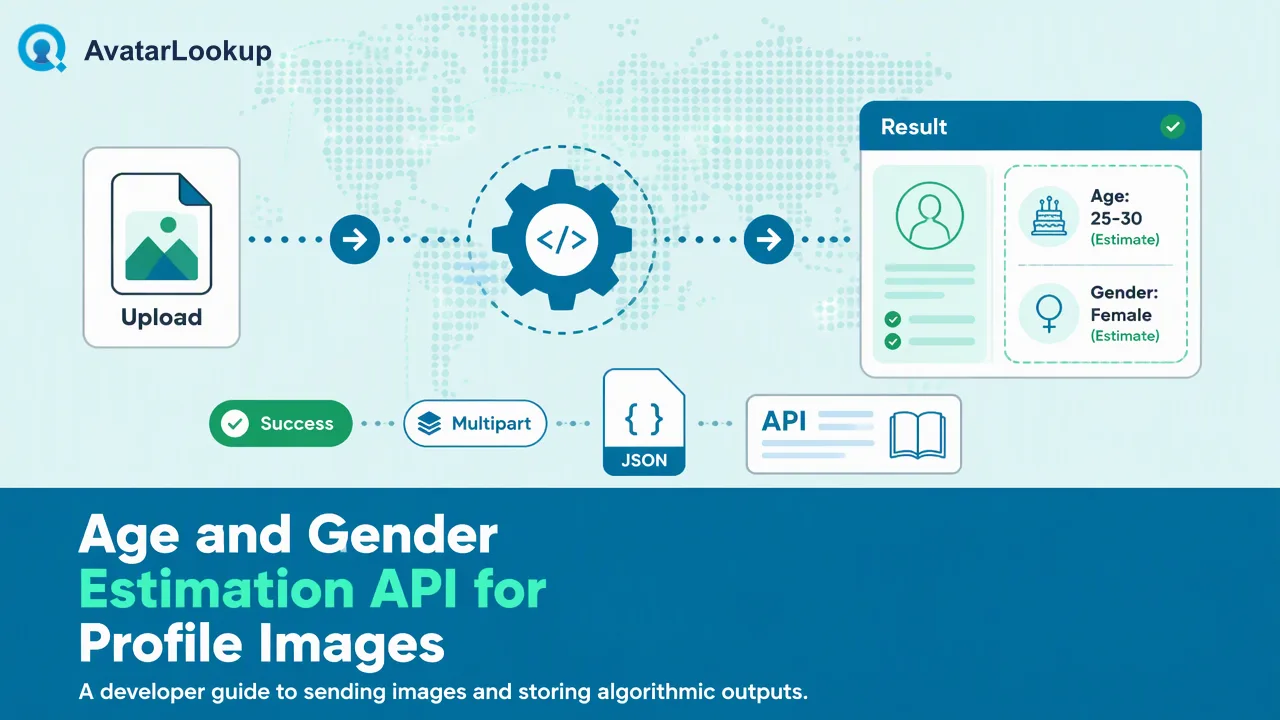
A developer guide to sending profile images for analysis and handling age, gender and other appearance outputs as algorithmic estimates.
An age and gender estimation API receives a picture and returns algorithmic guesses about the person it appears to show. AvatarLookup offers this as image profile analysis: developers upload a JPEG, PNG, WebP or GIF file as multipart form data to the documented image profile endpoint and get a synchronous answer that covers the picture type and, when a person appears, estimated gender, age, hair colour and skin colour. The answer describes the picture, not the account or the person behind it. Treat every attribute as an estimate that supports contact-data review, label it that way in storage, and keep it out of decisions that affect people's access, pricing or eligibility.
What an age and gender estimation API returns, and what most guides skip
Most pages that rank for this topic are vendor listings. They show a sample response with a face box, an age number and a gender score, and they promise accuracy. They rarely explain three things developers run into in the first week: what happens when the picture is not a portrait, how wide the error on an age estimate can be, and how to store the output so nobody later mistakes it for a fact.
Image profile analysis in AvatarLookup answers a question about an image. The first output is the picture type: a photo of a person, or something else such as a logo, an illustration, an object or an animal. When a person appears, the analysis adds appearance estimates. The result carries a content-derived fingerprint of the image rather than an account identifier, so nothing in the response links the picture to a phone number, an email address or a named person.
That design suits contact-data teams. A CRM or support tool already holds avatars that customers or partners supplied, and the useful question is usually "what kind of picture is this?" rather than "who is this?".
Sending a profile image: the documented multipart upload
The documented API route is a single synchronous call. There is no task to create and no polling loop.
- Pick the file you already hold. Typical inputs are avatars exported from a CRM, pictures attached to a support ticket, or images in a partner directory.
- Validate locally first. Accept only JPEG, PNG, WebP or GIF, and reject files above the documented size limit before they leave your system. Local checks save a round trip and make your own logs easier to read.
- Upload as multipart form data to the image profile endpoint listed in the API documentation, with your API credentials. Follow the request reference there rather than copying parameters from articles.
- Store the answer next to your own record key together with the analysis date and the source of the image.
Build against multipart upload only. Base64 and image URL payloads are not part of the documented API contract, so code that depends on them may break. The website tool does accept a public image URL, which is handy when an analyst wants to try a few pictures before engineering writes any code.
For animated GIFs, decide on your side which frame represents the avatar and convert it to a still image if your review process needs a predictable input. That choice belongs to your pipeline, not to the API.
Reading the answer: picture type first, attributes second
Read every result in layers, and map each outcome to a next step before the integration goes live.
| Outcome | What it means | Suggested handling |
|---|---|---|
| Person photo with attributes | The model estimated appearance attributes | Store as estimates; use for triage only |
| Non-person picture (logo, cartoon, pet, object) | A determined answer about the picture | Tag the record as a non-portrait avatar |
| Person photo with some attributes unknown | The model could not estimate those values | Keep the known values; leave others empty, not guessed |
| Service error or unreadable image | No completed result | Log it, check the file, and resend later if the file is valid |
Billing follows the same split. A completed result is billable, including a non-person picture or one with unknown attributes, because the analysis produced an answer. A service error, an unreadable image or a response with no fields is not billable. Recording the outcome category per call lets finance and engineering reconcile usage from the same log.
The non-person outcome is often the most useful in practice. A logo in a personal contact record, or a cartoon on a supplier profile, is a clear prompt for a data steward to look at the record.
How accurate age estimates are, and how to store them
Independent testing shows why estimates need labels. The US National Institute of Standards and Technology runs an ongoing Face Analysis Technology Evaluation for age estimation and reports mean absolute error across demographic groups and image conditions. Its published results show a wide spread between algorithms and sensitivity to factors such as image quality and subject age. Profile pictures add their own problems: filters, heavy compression, old photos and cropped group shots.
A storage pattern that keeps the output honest:
- Name fields as estimates, for example
estimated_age_bandandestimated_gender, neverageorgender. - Prefer bands over single numbers in downstream tools, so a reviewer sees a range rather than false precision.
- Keep provenance: analysis date, image source, and the fingerprint returned with the result.
- Re-analyze when the picture changes instead of carrying old estimates onto a new avatar.
- Separate estimates from customer-supplied data so a stated date of birth is never overwritten by a model output.
Where an age and gender estimation API fits, and where it does not
Good fits are low-stakes and reversible: sorting a large avatar backlog, flagging non-portrait pictures on personal contact records, sampling odd records for human review, or spotting placeholder images that were never replaced. In each case a person makes the final call and a wrong estimate costs only a moment of review.
Poor fits are decisions that change what someone can do or pay. Approving, rejecting, ranking or pricing people on estimated age or gender, screening applicants, tracking individuals, and building profiles of people who did not expect it all fall outside responsible use. Appearance estimates are not demographic facts, and a model's reading of a face says nothing about how a person identifies.
Legal context matters as well. The UK regulator's guidance on biometric data explains when processing images of people moves into biometric and special category territory, and similar rules exist in other jurisdictions. Teams should document their purpose, retention period and review process before turning on image analysis for real contact data.
FAQ
How can teams test accuracy on their own images before integrating?
Assemble a small, consented sample that looks like production data: real avatar sizes, compression, filters and a mix of portraits and non-portraits. Run it through the website tool or a test script, then have two reviewers compare outputs with what they can see. Measure how often picture type is useful and how often age bands are clearly off, and set your review rules from that evidence.
Can the API analyze an image from a URL instead of an upload?
The documented API route takes a multipart file upload. A public image URL is supported in the website tool, which suits manual checks of a few pictures. For automated pipelines, download the image to your own system, validate type and size, and upload the file. That also gives you a stable copy of exactly what was analyzed, which helps when someone questions an estimate later.
How should teams handle unknown attributes in the response?
Treat unknown as a normal, completed answer. Keep the attributes that were estimated, leave the unknown ones empty, and do not back-fill them with defaults or guesses from other fields. Reporting dashboards should count unknown separately from errors, because the two need different follow-up: unknown values usually reflect the picture itself, while errors point to a file or service problem.
Learn More
Choose the product information that fits the next step in your workflow.